At a previous company, we had strong feedback from sales that prospects thought our legacy, cash-cow product looked old and outdated. They were right, and those first impressions are hard to shake. We lost deals (in part) because of design.
We did a minor design update in a beta release that introduced ~30% more vertical padding in lists. Beta testers (long-time customers) hated it. They were pros. They could not only handle the density, but the density enabled key workflows that the additional padding broke.
We ended up making the whitespace preference-controlled. Defaulted to on for new users; defaulted to off for existing users. Solved the sales problem while keeping our long-time customers happy.
For infrequently-used tools, especially transactional ones (e.g., Google Maps), additional whitespace seems to improve legibility, usability, and ultimately engagement. For power-user tools like GitHub in which users spend hours of their time every week, I want to see an industry shift "back" to denser UIs. Power users can handle them and typically benefit from them greatly.
In my software, I display popup on hover. I display them immediately because it helps customers to discover, and it looks great with fake data. After 3 month, I add delay, because real users are annoyed with popups on hover.
I wonder how much different the products are to different people. If you subscribe to Facebook/Gmail/a lot of webapps, the UI has nothing to do with the old timers’s UIs. I think they try to keep the UI for a given generation of users.
It's an extension of the trend for sites to have all kinds of modal popups for new users, or to alert users to new features, that are shown once or a few times and then stop. It's probably a good idea in general, though I don't like them if I have to dismiss them manually. At least please make them go away if I hit ESC.
It might be a cool thing if a site prompted the user at some point "You've been using our system for a little while now, would you like to try a denser/more compact layout?"
imo the trend of websites adding more spacing (padding) as the years go by is annoying, so I decided to do something about it. I hope this to become a manually curated, collaborative effort, but so far the 500 lines CSS are for GitHub, GitLab, Reddit and Twitter only.
I tried out the github style and while I liked the increased density, the lack of padding caused issues on a 27" monitor. For instance, the file listing ended up taking up almost the entire width of the monitor, which made it hard to read because it was too wide[1].
Thanks for your input. Yes, but I don't really know how to fix it. I mean we could add a guideline for future rules (and update the existing ones) to always use `max-width 45em` or the like for text instead of `100%`, whenever possible. That would complicate things quite a bit though, currently it's as easy as it gets...
I am also not super sold on capping max width. My personal take is, if text gets unreadable for you on a 27 inch screen, then don't buy a 27 inch screen, or at least resize the browser window accordingly. I haven't grasped yet why anyone would want to have a large widescreen display/window for reading text, I think it's only counterproductive.
That is admittedly a rather egoistic take though, and insane screen resolutions are seemingly becoming the norm now, so I don't know what to do.
Thanks for building this!
Especially on small screens the (useless?) whitespace is annoying and rather distracting.
The problem with whitespace (or also colored whitespace) is in my opinion a true problem on mobile devices too. The ratio between available information and screen estate is oftentimes very off.
I have a gallery of screenshots from Zoom meetings where (mostly tech workers) are pushing 50-70% content-free pixels in their screen share. 75% of the time, I just find it amusing, but 25% of the time it drives me crazy.
I wonder what they’re thinking when they start a screen share to push so few pixels of content.
I just wanna say if anyone is looking for a designer whose tastes diverge from the other in this thread and who is dying for a chance to design an attractive, effective, and dense app (Ableton Live, anyone?), please let me know.
Ha, I was just about to make a comment about how the Ableton interface is a perfect example of a dense UI still going strong. Wish I could say the same for most new VST plugins that think I want a delay effect to take up half of my monitor.
Another positive side effect of dense UIs is that they work as noob repellant. I've heard SO many people mention they chose Logic instead of Ableton "because it looks like Windows 95". That's all you need to tell me about how your mind works lol.
But I think that's the problem. For some things, the "form" is important, things like marketing sites, maybe prose. But for sites that are supposed to be highly functional, information density (function) should always win out. That's not to say that it shouldn't still be presented nicely, and that may make it more difficult. But when I'm browsing files or commit history on GitHub, the more stuff I can see at one time, the more useful it is.
At work we have many internal systems with no padding, confirmation models, etc which are used for development tasks. I am usually afraid when interacting with them and others do not seem to understand why. Recently I made a mistake where I had to click "Accept" on each item in a row of ~100 items. It's a simple HTTP webserver where every button is an <a> and does a new page load which causes a new paint. I accidentally clicked "Revert" on 3 / 100 items because when things reloaded I clicked too soon and the "Accept" / "Revert" buttons are horizontally aligned but vertically offset.
Spacing/padding/alignment improves UX for tools when used correctly.
> information density (function) should always win out
No. Clarity should always win out.
Spacing serves the important purpose of creating an information hierarchy so it's intuitively visible at a glance how things group into larger things. The higher the level, the higher the spacing.
This is why there's more space between words than between letters, between lines than between words, and between paragraphs than between lines. And similarly how there's more UX whitespace between a list and the toolbar buttons above it than there is between list items, and then even more space than that between the main content area and left bar.
Seeing more stuff isn't useful if you can't tell at an intuitive glance which commit a line belongs to, because there's no extra separation between commits.
Information hierarchy is relative. You can totally allow for it within a denser layout, in fact traditional dense GUI's and text layouts pay a lot of attention to proper hierarchy. Where whitespace seems to be inescapable is for separating active elements of a layout, to avoid unintended touches.
You should try UI design. Open Sketch or Figma. Start putting buttons and boxes together. You'll quickly realize that having adequate spacing is absolutely a must. Everything just looks awful without enough spacing.
Usually, the biggest problem a piece of software has is adoption. People are far less likely to adopt your software if the first time they look at it, it looks like a huge complex mess. The sales people certainly won't want to present software like that to potential customers.
it's a mistake to equate information density with function, the more things I see don't matter if they are not legible, there are two extremes of course and a good design makes a good compromise (but removing whitespace completely isn't good, a better solution is customizable density per user)
In my opinion, whitespace is fine when it's used to separate functionally distinct UI elements.
What I find most aggravating is when white space is used to pad out lists of items. For example, I got in the habit of using Google Keep to keep track of things like checklists and shopping lists on my phone. Then a few months ago, they updated the app so that every line of text has 2 lines' worth of whitespace above and below it, and now I can only fit half as much of any given list on my screen without scrolling. (And of course, unlike a web site, there's no way to override the styling of an Android app.)
Every time I see somebody making their UI worse in this way, I remember all the previous times I've seen it happen, and I get slightly more irritated than the last time.
As a user, I wish the web gave designers less freedom.
I don’t care about design trends or “calming” the web down. I want to see as much information as can fit on screen at once, especially with sites and apps I use regularly. No superfluous UI animations either, please.
Density should at least be an option like dark mode.
Unfortunately it hasn't been extended to differentiate dark from black. On my OLED screens I want #000 black, not some tinted gray—which actually looks very muddy and unnatural on my displays (which are never overly bright so the contrast helps too). My own userstyles go through to fix this on many websites.
I've wondered about this off white "dark" for some time. The crazy person in me thinks it might be to throw more nits at our face so emotion and attention may be tracked by our helpful webcams, aided by the Windows Camera Frame Server service.
i believe that’s the user agent stylesheet doing that, because the browser/system color for dark is usually a dark grey, not black, just like the browser/system color for white is usually off-white.
I’m not sure which I like less, the “calm” of excessive whitespace or the comfort of low contrast not-very-dark modes.
Am I the only person who wants computer programs to be effective tools, not provide emotional support?
At this point I wonder if it might really be easier to add the features to turn terminals into decent fully featured GUIs than to fix existing actual GUIs.
If your websites are just for you that's good, if not, you are designing for the end-user. What you've just said seems to amounts to a big F.U. to the user. Not a good approach to improving a UI.
We then need to see some research into what people actually prefers. Because as some other comment said, I have the feeling that long time users are who prefer crammed UIs, while other people like me find them terribly difficult to work with or even read.
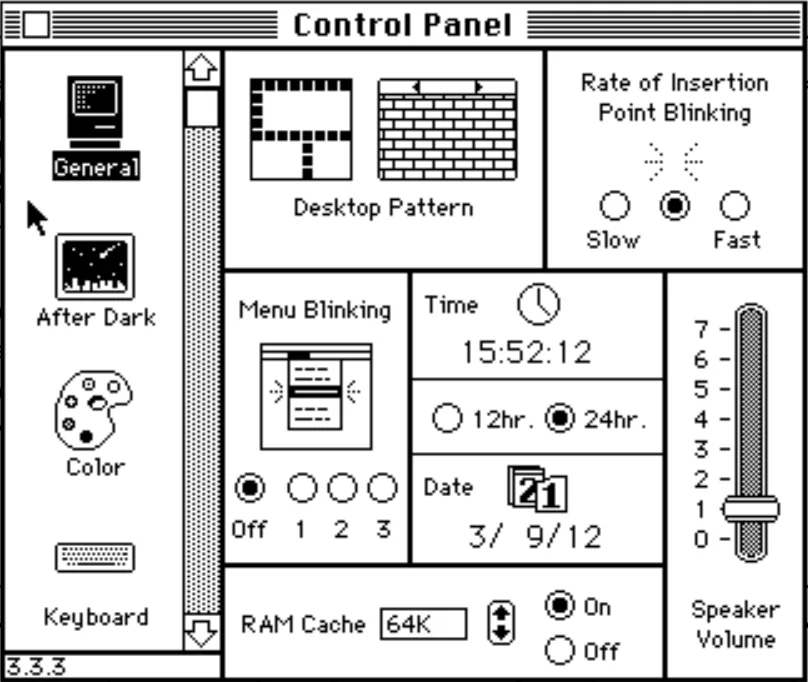
UI research is a thing. Aside of that, allowing the user to alter the UI to their tastes might also be a thing. Customising, it used to be called. That way it can be good for both of us - or even the same person who's level of experience and thus their needs, changes over time.
It's funny you say that because I've been considering doing exactly the opposite: Adding a curated user style sheet for common websites which adds floating headers/sticky scroll/contextual scroll/semantic scroll/whatever you call it. Like this one for HN[1] (also mine), but everywhere. I'd honestly be curious why you dislike floating headers? Especially for navigation, I think it is preferable. I regularly make use of it, like here [2] (also mine, sorry for all of that)
My two complaints about floating headers / footers:
- they grow over time, so at first 90% of the vertical space is for content but later it becomes closer to 70% or worse.
- they hide the content that's underneath them, but hitting 'space' (or pgdn) still scrolls a screen's worth of content scrolls, say, 1000 vertical pixels even though you can only see 900-700 pixels' worth of content at a time. I'm forced to either scroll with a mouse wheel, trackpad, etc, or else pgdn and then up-arrow a couple times.
I don't know shit about fuck re: modern web design (I first learned from an ORielly book titled "Dynamic HTML / the definitive reference (2nd edition)"). iframes do the right thing where pgdn scrolls one iframe-height worth of content, but I guess you'd have to have your header/footer "contain" the content as an iframe, and that's weird?
I _never_ have any use for “tools” while I'm reading something.
I do have a use for seeing a couple more lines of text at the top and bottom of the screen.
Edit: I actually lied, I have often wished I could get to ublock's “select element” control a little easier. Because I so often have to kill obnoxious floating elements :D
All of these are CRUD apps. Can we not standardize a universal interface for such apps? Something like Norton Commander for the web? I can imagine using the same UI to browse HN/Twitter/GitHub ...
I have a Chrome extension that disables JS for a specific site. It's for getting around (some) paywalls. If you want to be pedantic, let me save you the trouble: no, it doesn't work for all of them.
So I picture a "Densify" browser extension as well. How exactly that would work is left as an exercise for the reader.


We did a minor design update in a beta release that introduced ~30% more vertical padding in lists. Beta testers (long-time customers) hated it. They were pros. They could not only handle the density, but the density enabled key workflows that the additional padding broke.
We ended up making the whitespace preference-controlled. Defaulted to on for new users; defaulted to off for existing users. Solved the sales problem while keeping our long-time customers happy.
For infrequently-used tools, especially transactional ones (e.g., Google Maps), additional whitespace seems to improve legibility, usability, and ultimately engagement. For power-user tools like GitHub in which users spend hours of their time every week, I want to see an industry shift "back" to denser UIs. Power users can handle them and typically benefit from them greatly.